Every search, every source, even the ones that found nothing
Research Trail keeps each research question with a log of every search you make against it: where you looked, what for, and what came of it. When you’re ready, it turns the lot into a research report or research calendar in Word or PDF.
No account. Works offline. Your research stays on your device.
-
Entry 1
21 Sep 2026
FreeBMD, death index 1911
Wisniewski, Wiśniewski; 1910–1912; Wigan
Found
-
Entry 4
28 Sep 2026
National archives, 1891 census
9 spellings, born 1863–1873, all Lancashire
Nothing found
-
Entry 5
3 Oct 2026
County record office, marriages 1885–1905
Father: Michał Wiśniewski, farmer
Found
-
Next
To do
Geneteka, Płock births 1865–1870
Wiśniewski, father Michał
Planned
How it works
- RT/1Ask one questionStart a research objective: “Who were the parents of Jan Wiśniewski, born about 1868?” Note what’s already known.
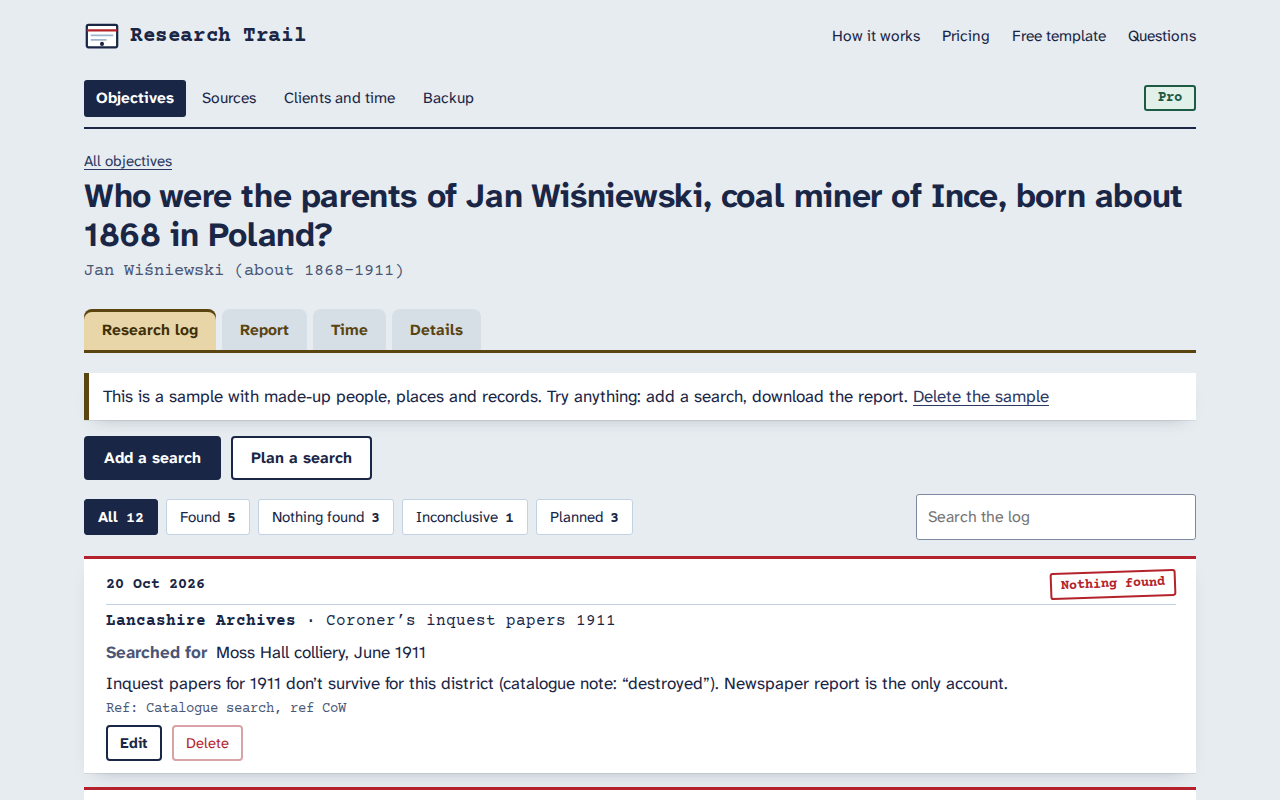
- RT/2Log every searchRepository, record set, the names, years and places you tried, and the result: found, nothing found or inconclusive. Plan the next searches too.
- RT/3Cite as you goLink searches to sources. Fill in the fields once and the citation builds itself, ready to reuse across objectives.
- RT/4Download the reportOne click for a research report or a research calendar, as an editable Word document or a PDF.
- “Nothing found” counts
- Negative searches get their own result and their own section in the report, with what each search covered, so you never repeat one and your clients see the ground you’ve ruled out.
- Research calendar
- Every search, done and planned, in date order on one landscape page. Mark a planned search done and log the result in a click.
- Source citations
- Fields for who made the record, what it is, the collection, the item, the date and where it’s held. One source can back many searches.
- Reports in Word and PDF
- Background, summary, conclusion, positive and negative searches, plans and numbered citations. A4 or US Letter. Names with accents and diacritics print properly.
- Client time (Pro)
- Log time against each objective, bill it to a client at their rate, and download an invoice-ready time summary as PDF, Word or CSV.
- Private and offline
- It runs in your browser with nothing uploaded. It works in record offices with no Wi-Fi, and installs like an app.
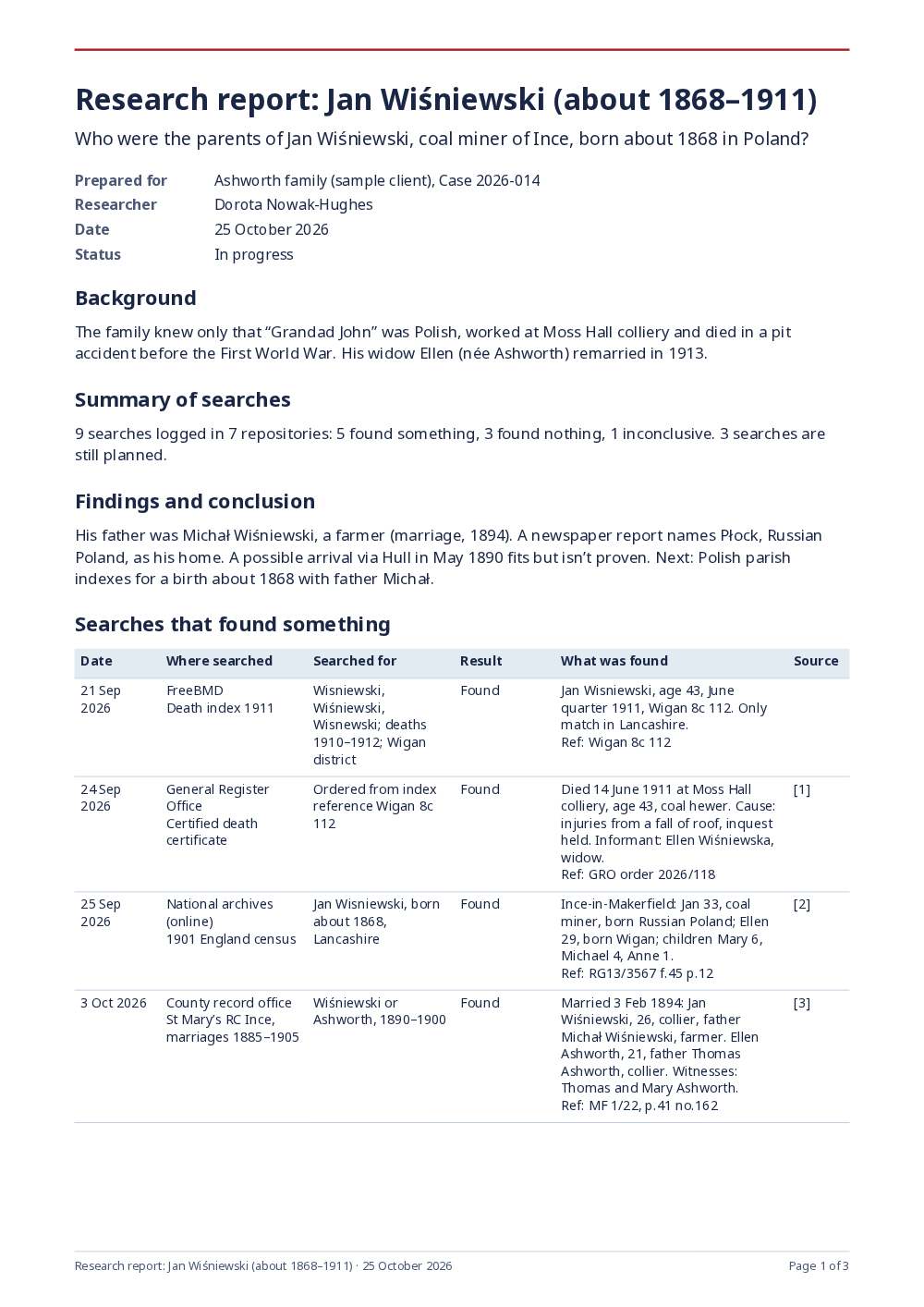
A report you can send
Professional genealogists deliver reports that show what was searched as well as what was found. Research Trail writes the structure for you, with negative searches in their own table and every linked source cited, so you can spend your time on the analysis.
Just want a blank log to print? Use the free genealogy research log template. No account, nothing saved.
Pricing
Free
For one line of research at a time.
- One research objective
- Up to 25 log entries
- Reports and calendars in Word and PDF
- Reusable sources and citations
- Backups, offline use, no account
£29$36 a year, or £9$12 a month
Pro, for serious hobbyists and professional genealogists.
- Everything in Free
- Unlimited objectives and log entries
- Clients and time tracking
- Invoice-ready time summaries
- Cancel any time, 14-day refund
Questions
Is this a replacement for Research Ties?
It covers the same ground: a research log built around objectives, with every search recorded against one, including the searches that find nothing. Research Ties closed in September 2024. Research Trail is a separate, independent product, not connected to it in any way, and it can’t import Research Ties data. If you kept an export or spreadsheet of your old log, the Research Ties alternative page explains how to bring the key details across.
Where is my research stored?
In your browser, on your device. Nothing you type is sent to us, and there’s no account. Our licence server only sees a licence key and a random ID for your browser, and our page counter sees which pages are visited, never what you type. Download a backup now and then: it’s one small file you can keep anywhere, and it’s also how you move your log to another computer.
Does it work offline, in an archive or library?
Yes. Once you’ve opened it, it works with no connection, and you can install it like an app on a laptop or tablet. Reports download offline too.
Can I use it on more than one device?
Not with automatic sync yet. Use “Backup” to download a file on one device and import it on another: the import merges new and changed records and never overwrites newer work without showing you. A Pro licence works in up to three browsers. If you’d use built-in sync, tell us.
What goes in the research report?
Your research question, background, the summary of searches, your findings and conclusion, a table of searches that found something, a separate table of searches that found nothing, the searches still planned, numbered source citations and, with Pro, the time spent. It downloads as an editable Word document or a PDF, in A4 or US Letter.
How are sources cited?
Each source has the same set of fields: who created the record, what it is, the collection, the item or page, the date, where it’s held, the web address and when you viewed it. The type of source (census, parish register, probate, newspaper and so on) only changes the hints. Research Trail builds a plain citation from those fields, and you can edit the wording in the Word report.
Is it a family tree program?
No. Keep your tree in whatever you use now, such as FamilySearch, Ancestry, RootsMagic or Gramps. Research Trail is the log of where you looked and what you found, which tree programs don’t do well.
How much is it?
Free for one research objective with up to 25 log entries, with reports, calendars, sources and backups. Pro is £9 a month or £29 a year (in the US, $12 or $36): unlimited objectives and entries, plus clients, time tracking and invoice-ready time summaries.
Can I get a refund?
Yes. Email admin@onibaku.co.uk within 14 days of paying and we’ll refund you in full. You can cancel any time from the billing link in the app.
Who makes it?
Onibaku, a small UK software maker. Questions go to admin@onibaku.co.uk, and a person answers.